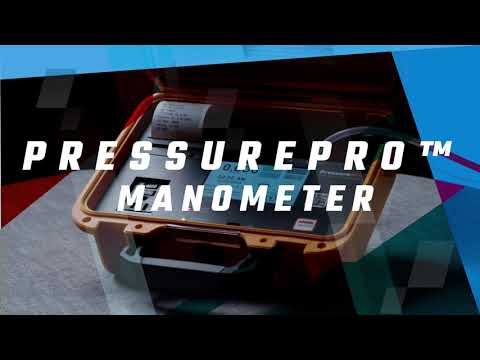
The PressurePro M1w is the Wi-Fi version of the PressurePro differential pressure recorder. It adds built-in Wi-Fi for remote monitoring of containment pressure, while still logging to 16MB of memory, printing time-stamped readings on its built-in thermal printer and showing everything on a 4.3" color touchscreen.
It suits hospital, healthcare construction and large abatement projects where someone off site has to keep an eye on the enclosure. The PressurePro M1w keeps the Pressure Assist outlet, NIST-traceable certificate and hard case of the M1, and carries a 2-year limited warranty.
Features
Built-In Wi-Fi
Connects to a local Wi-Fi network so pressure readings and job data can be viewed without a network cable. Contact us for monitoring, alert and network details before ordering.
Printed, Time-Stamped Pressure Records
Readings print every 30 minutes in range and every 2 minutes in alarm by default, with alarms and returns to normal marked on the tape.
Pressure Assist Outlet
A switched 15 A outlet powers a spare negative air machine only while containment drifts, on at -0.022" WC and off at -0.040" WC by default.
Swap the Printer on Site
If the printer fails, four screws and a plug-in harness let you fit a replacement module without sending the recorder away.
4.3" Touchscreen in English or Spanish
Start a job, name it, enter the address and set alarms from the touchscreen, in either language.
High and Low Alarms
Audible and visual alarms with a red screen when pressure leaves your window, green when it returns.
NIST-Traceable Accuracy
Ships with a certificate of accuracy, and temperature compensation holds readings steady as jobsite conditions change.
Years of Jobs in Memory
16MB of internal storage holds more than two years of pressure logs.
Specifications
-
Model: PressurePro M1w
-
Connectivity: Built-in Wi-Fi for remote monitoring
-
Measuring Range: +0.250" to -0.250" WC, positive or negative pressure
-
Display Units: Inches of water column (WC)
-
Display: 4.3" color LCD, capacitive touchscreen
-
Interface Languages: English and Spanish
-
Data Storage: 16MB internal, more than 2 years of logs; each job saved with its name, address and start and end dates
-
Default Log and Print Rate: Every 30 minutes in normal range, every 2 minutes in alarm (both adjustable)
-
Alarms: Programmable high and low limits, audible and visual (defaults -0.020" and -0.040" WC)
-
Pressure Assist Outlet: Switched 120 VAC outlet, 15 A max, for one negative air machine up to 2,000 CFM; default on at -0.022" WC, off at -0.040" WC; AC power only
-
Printer: Built-in thermal printer, replaceable with 4 screws and a plug-in harness; prints on AC power
-
Sensor: Temperature-compensated with automatic zero-drift correction
-
Maximum Tubing Length: 70' of 5mm ID tubing
-
Calibration: NIST-traceable certificate of accuracy included; annual verification recommended
-
Case: Hard case with a viewing window in the lid, side slot for tubing and cord, and a handle for hanging
-
Warranty: 2 years limited
What's Included
- PressurePro M1w differential pressure recorder in hard case
- NIST-traceable certificate of accuracy
Setup & Placement
Set the recorder outside the containment and plug it into a 120 VAC, 60 Hz outlet wired to code. Run the tubing from the brass barb labeled HOSE into the work area, well away from the entrance and the negative air machines, with no kinks or tight bends, and keep the run to 70' or less. Pass the tubing and cord through the slot in the side of the case before latching the lid.
The recorder can hang from its handle on a strong hook so the screen stays readable through the lid window. For asbestos negative pressure work, set Alarm 1 to -0.020" WC and Alarm 2 to -0.060" WC. For positive-pressure rooms such as clean rooms, use +0.060" and +0.020" WC.
Resources
Warranty & Shipping
Warranty. Adaptive Manometer Systems covers the PressurePro M1w against defects in materials and workmanship under normal use for 2 years from the original purchase date. This 2-year warranty replaces the 1-year warranty printed in the owner's manual. The warranty applies to the original purchaser and to units bought from the manufacturer or an authorized distributor.
Service. Contact Adaptive Manometer Systems technical support at 888-985-3955 or info@adaptivemanometers.com for a return authorization (RMA) number, with proof of purchase and a description of the fault. Ship the unit prepaid to the service address you are given. The manufacturer repairs or replaces it with new or refurbished parts at its discretion.
Shipping. Shipping cost is calculated at checkout.
Inspect on delivery. Check the carton and the contents when they arrive and note any damage on the delivery receipt before signing.
About PressurePro
PressurePro recorders are designed, assembled and calibrated by Adaptive Manometer Systems in Denver, Colorado. The company focuses on one job: differential pressure recorders for crews who must prove their containment held, in asbestos abatement, mold remediation, water damage restoration and healthcare construction.
The PressurePro M1w is the Wi-Fi model. The PressurePro M1 is the model without Wi-Fi, for jobs where printed and USB records are enough. Contact us to confirm printer and paper compatibility for the M1w.