
How we made this guide: picks, prices and specs come from our catalog and the makers' published specs, owner quotes come from customer reviews on our product pages and every guide is checked and edited by Trevor Hall.
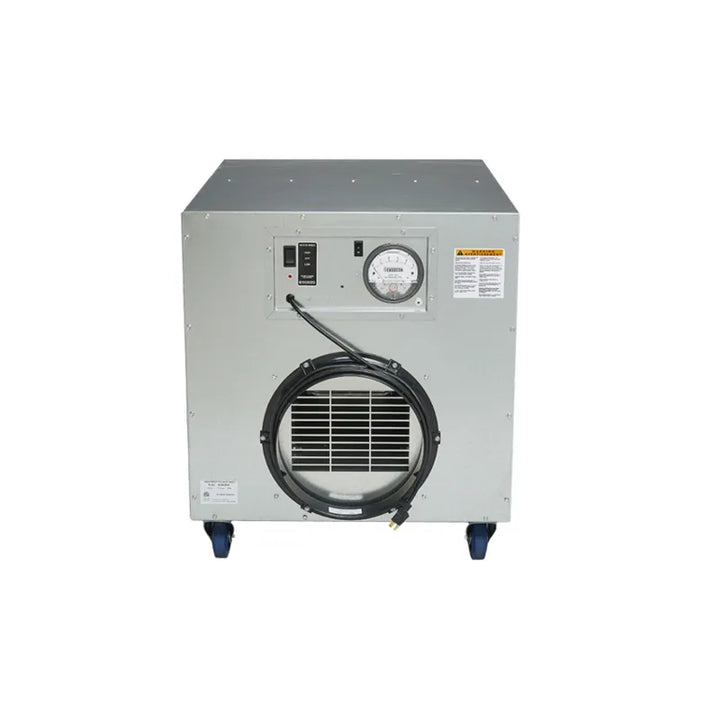
A whole-house dehumidifier sits in a basement, crawl space or utility area and drains to a floor drain or a pump. It pulls air from the house or the HVAC return, then sends dry air back through its own supply duct or into the HVAC supply behind backdraft dampers.
A capable owner can set, duct and drain the unit. HVAC tie-ins and electrical work go to a licensed installer where local rules require it. This guide follows the layouts and steps in AlorAir's Sentinel WHD installation and operations manual, using the Sentinel WHD120 at $1,999 as the worked example. To choose the unit first, compare the ductable dehumidifiers or read our whole-house dehumidifier comparison.
Quick answer
Place it, duct it, drain it, power it, then measure the air at the inlet and outlet to confirm it is drying.
Tools and equipment
You need the unit, flexible or rigid duct in the size on its collars, duct clamps and sealant, a level, a screwdriver, drain tubing or PVC and a dedicated grounded outlet. For the final check you also need a way to read temperature and humidity in the airstream. These are the machines this guide covers.

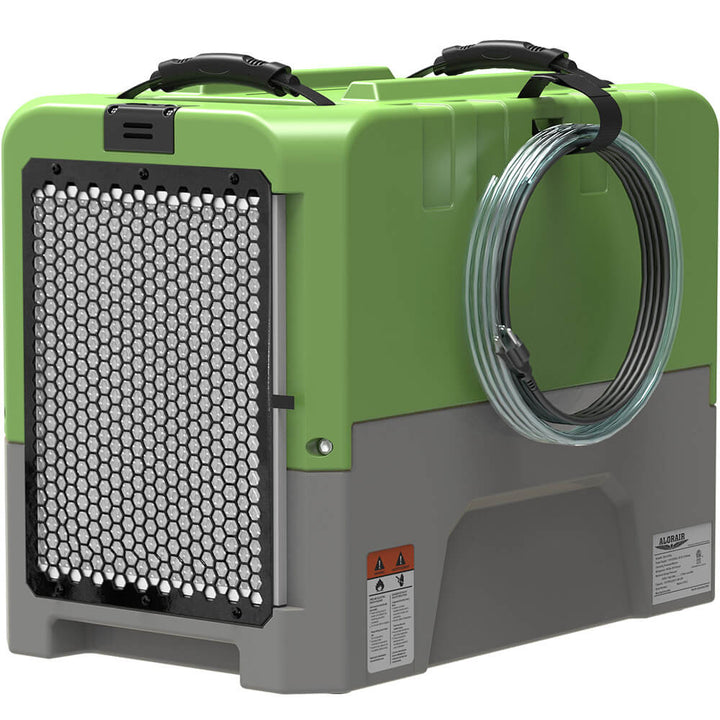
Ducted, built-in pump
AlorAir Sentinel HDi100 100-Pint Crawl Space Dehumidifier with Pump
$1,399
10 inch flex duct on inlet and supply, with a built-in condensate pump for installs with no drain below the unit.

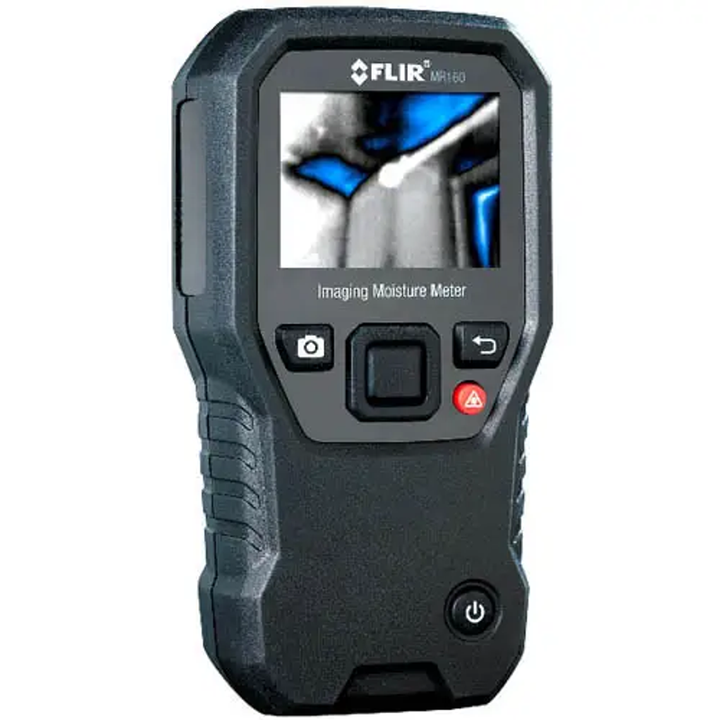
Commissioning meter
Extech HD500-NIST Psychrometer & InfraRed Thermometer, 30:1, Humidity Type K w/NIST Calibration
$488.99
Reads RH to plus or minus 2% with IR and type K inputs and USB data.
Step 1: Pick the location and the layout
AlorAir's manual says the dehumidifier must be installed in a fully enclosed environment, with at least 15 cm (about 6 in) of clearance around the air intake and outlet so neither faces a wall. It runs upright and close to the floor, and for best results sits in the center of the room it serves. A basement, utility room or crawl space with a nearby drain is the usual spot.
Then choose how the unit connects to the house. The manual draws five HVAC layouts on pages 16 to 18: a recommended method and four alternatives. In each one the dehumidifier's supply duct joins the HVAC ducts, and 10 inch backdraft dampers or check valves in the dehumidifier's ducts stop air flowing back into the HVAC ducts. A stand-alone layout, where the unit's own inlet and outlet ducts serve the space without touching the HVAC system, is the simplest and needs no tie-in.
| Layout | How it runs | What you do at run time |
|---|---|---|
| Stand-alone ducted | The unit's own 10 inch inlet and outlet ducts serve the space or a nearby room (not one of the manual's drawings) | Nothing: the unit runs from its own humidistat |
| Recommended method | The HVAC air handler and the dehumidifier operate independently. Dehumidifier return and supply ducts each carry a 10 inch backdraft damper; the 6 inch fresh-air valve can bring in outdoor air on its own | Nothing: the dampers do the switching |
| Alternative one | Dehumidifier ducts tied to the HVAC ducts, drawn on page 16 | When the dehumidifier runs alone, close the return duct backdraft damper by hand and turn off the air handler |
| Alternative two | Tied to the HVAC ducts with a return air duct check valve, drawn on page 17 | When the dehumidifier runs, close the return duct backdraft damper by hand and turn on the air handler |
| Alternative three | Tied to the HVAC ducts with a supply air duct check valve, drawn on page 17 | When the dehumidifier runs, close the supply duct check valve by hand and turn on the air handler |
| Alternative four | The dehumidifier's indoor return and outdoor fresh-air ducts feed the unit, and its supply joins the HVAC supply through a 10 inch check valve, drawn on page 18 | When the dehumidifier runs, the HVAC air handler must be on |
The recommended method needs no manual damper changes, so ask an HVAC contractor about it first. Any tie-in to an existing air handler is HVAC work: where local rules call for a licensed installer, hire one.
Step 2: Set the unit and connect the ducts
- Let the unit sit outside its box for 24 hours before you plug it in, the manual says, so the compressor oil settles after transport. If it has been tipped, stand it level and wait at least 2 hours.
- Set the unit on a level surface. The manual says not to place it directly on the ground: leave enough elevation for the gravity drain, which means a stand or pallet under the unit.
- Confirm the air direction. On the WHD 100 and 120 the manual shows a default intake and exhaust arrangement, and an adjustable exhaust direction that needs a screwdriver and a reconnected fan cable. If you change it, unplug the unit first.
- Connect 10 inch duct to the inlet and outlet collars. Keep runs short, support the duct so it does not sag and seal every joint with clamps and mastic or foil tape.
- If the layout uses outdoor air, connect the 6 inch fresh-air port. The manual's fresh-air function opens the electric valve together with the dehumidifier, with temperature limits you set: a lower limit of 35°F to 50°F (default 35°F) and an upper limit of 80°F to 95°F (default 95°F).
Other ducted AlorAir units follow the same idea at different sizes. The crawl space dehumidifier family adds a pump. The Sentinel HDi100 takes 10 inch flex duct on inlet and supply with a 10 ft maximum total run, and the Sentinel HDi90 Duct-able Version at $1,147.11 uses a 6 inch supply adapter as standard with an optional 12 inch return collar. For the setup of those units in a crawl space, see our crawl space dehumidifier installation guide.


Ducted to a second room
AlorAir Sentinel HDi90 Duct-able 90-Pint Crawl Space Dehumidifier with Pump
$1,147.11
A 6 inch supply adapter comes standard, with a round intake end that carries the pre-filter and a MERV-8 filter.
Step 3: Run the drain
Condensate rules vary by town, so check where your local plumbing rules let you send it before you pick a drain. The WHD series has no built-in pump. The manual gives three ways to set the drain line.
- Gravity drain: install the supplied drain fitting, push the drain tube onto it and run the line to a suitable drain. The manual says the line must flow down with no loops or dips. The unit connects at a 3/4 inch female NPT.
- PVC drain: cut a 6 inch piece of 3/4 inch OD PVC, attach it to the drain tube so the tube does not reach the elbow and keep the PVC short. A minimum downward slope of 1 inch per 10 ft is required, and the tubing needs support so the slope holds.
- External pump: connect a pump to the auxiliary terminals. You supply its power, since the dehumidifier does not power the pump.
Where no hose is used and the drain is plumbed in PVC, the manual calls for a condensate trap to prevent backflow. The inlet side of the trap needs a minimum 4 inch leg with a capped clean-out port, the discharge side a minimum 2 inch leg with a vent port, and the trap should be filled with water once assembled. The drain line then slopes from the trap discharge to the final drain at 1/4 inch per foot. AlorAir's manual gives 1 inch per 10 ft as the minimum for the PVC transition and 1/4 inch per foot after a trap, so building the whole run at 1/4 inch per foot meets both.
For the pump terminals, the manual uses A5 and A6 for normally open accessories. Normally closed accessories connect to A8 and A9, and the jumper between them must come out first. If the unit throws an E4 code the moment it powers up, try the opposite pair of terminals, then unplug the unit to clear the code. The Sentinel HDi100 and HDi90 Duct-able Version carry a built-in condensate pump with a 19.6 ft drain hose instead, and AlorAir's dehumidifier line includes more models with pumps.
Step 4: Power and control
The WHD120 lists 115 V, 60 Hz and 6.8 A, with a dedicated, grounded 3-prong GFCI outlet on a 15 A circuit and a 17.7 ft cord. The manual says not to use an extension cord or a plug adapter. A new circuit or a new outlet is electrical work: use a licensed electrician where local rules require one.
- Connect the wired controller to the unit with the supplied Ethernet cable before you power up.
- On first power-up the unit starts in %RH mode at a default setpoint of 50%. The set range is 35% to 90% in 1% steps, plus continuous mode.
- For a grains-per-pound target, switch to GPP mode, which sets a value from 25 to 200 gr/lb in steps of 5.
- To let a thermostat or another controller switch the unit, the manual describes central control mode: a signal on the A3 and A4 terminals from a passive relay or contact output puts the unit in continuous operation and shows "CC" on the controller. Wiring those terminals is low-voltage control work. Leave it to an HVAC contractor if you are unsure.
The manual lists a working range of 35.6°F to 102.2°F ambient for the WHD series. A Lo or HI code appears outside it, and the unit resumes by itself when the temperature returns to range.
Step 5: Commission it
After power-up the compressor waits through a three-minute protection delay, and the fan may start and stop in that time, AlorAir's manual says; that is normal. Then run the unit for a few hours and measure the air entering the inlet and leaving the outlet. A unit that is drying sends out air that is warmer and holds less moisture than the air it takes in. A handheld psychrometer does this job, and the Extech HD500-NIST from our Extech meters at $488.99 lists humidity accuracy of plus or minus 2% RH, an infrared thermometer and a type K input, with USB data.
- Read temperature and RH at the inlet duct, then at the outlet duct, at the same point in the airflow each time.
- Convert each pair to grains per pound on a psychrometric chart. Our psychrometric chart guide shows how.
- Subtract: inlet gr/lb minus outlet gr/lb. This is our calculation, and it should be a positive number. If it is zero or negative, check the airflow, the filter and the drain before blaming the unit.
- Check the room over the next days. The controller shows the real-time humidity, so you can see the setpoint being reached. For where to read humidity and what to hold it at, see our basement humidity guide.
Our calculation
grains removed per pound of air = inlet gr/lb minus outlet gr/lb, both read from the same chart at the temperature and RH you measured.Common mistakes
- Placing the unit in an open, unenclosed space, where it cannot control humidity.
- Letting a drain line sag or loop, which stops gravity drainage.
- Skipping the damper change or the air handler setting that each alternative layout needs (AlorAir's manual, pages 16 to 18), so the HVAC fan and the dehumidifier fight each other.
- Powering up a unit the day it arrives, before the 24 hour rest.
- Powering the unit from an extension cord or plug adapter, which the manual forbids.
What decides the cost
We do not list a flat installed price, because the work varies. The drivers are the unit price, how long the duct run is, whether the layout ties into the HVAC system, whether a drain already exists below the unit or needs a pump and whether a new dedicated circuit is needed. A stand-alone ducted unit with a nearby floor drain and an existing 15 A GFCI outlet costs the least to install, and an HVAC tie-in that needs a new circuit costs the most.
Frequently asked questions
Can I install a whole-house dehumidifier myself?
The unit itself, yes: setting it level, connecting the ducts, running the drain and plugging it in are all covered step by step in AlorAir's manual, and none of them needs special tools. An HVAC tie-in, a new circuit or control wiring is licensed work where local rules say so.
Can I add a whole-house dehumidifier to my HVAC system?
Yes. AlorAir's WHD manual shows five layouts that tie the unit into the HVAC ducts, with 10 inch backdraft dampers or check valves in the dehumidifier's ducts. Have an HVAC contractor make the connections.
What size do I need for 2,000 square feet?
It depends on the conditions as much as the floor area. Our dehumidifier sizing guide explains pints per day, AHAM and saturation ratings and gives a chart.
What humidity should I set a whole-house dehumidifier to?
AlorAir's manual says the WHD starts at 50% RH on first power-up. You can set it anywhere from 35% to 90% in 1% steps. For the level to hold in a basement and where to read it, see our basement humidity guide.
Is a whole-house dehumidifier worth it?
It suits a house with a damp basement or crawl space that needs a steady setpoint without emptying a bucket. To compare units, read our whole-house dehumidifier comparison, and for the running cost see our dehumidifier running cost guide.
Choose the unit before the ductwork
Related guides
- Best Whole-House Dehumidifiers: Ducted Units Compared by Pints, Efficiency and Coverage
- Crawl Space Dehumidifier Installation: Placement, Drainage and Setup Step by Step
- What Size Dehumidifier Do I Need? Pints per Day, AHAM vs Saturation and a Sizing Chart
- How to Read a Psychrometric Chart for Water Damage: GPP, Dew Point, Grain Depression