
How we made this guide: picks, prices and specs come from our catalog and the makers' published specs, owner quotes come from customer reviews on our product pages and the guide was drafted with AI help, then checked and edited by Trevor Hall.
The ideal humidity for a basement is about 30 to 50 percent relative humidity (RH), and it should stay below 60 percent. Those figures come from the EPA's homeowner booklet, A Brief Guide to Mold, Moisture and Your Home, which puts the limit at 60 percent and the ideal at "between 30 and 50 percent." Take the reading in the middle of the room, then check the foundation walls and the slab as well, since a cold wall can collect water while the air reading looks safe.
To hold the number you need two things: a meter that logs for days and a dehumidifier whose humidistat you set a few points under your target. The Extech SD500 data logger at $299 does the first job. A commercial unit such as the AlorAir Sentinel Pro 35X at $499.99 does the second.
Quick answer
- Target: 30 to 50% RH, with 60% as the ceiling (EPA).
- Measure: at the center of the room, away from the dehumidifier's exhaust, logged for a week.
- Check: the surface temperature of the wall and slab against the air's dew point.
- Place: the dehumidifier in the open, not against a wall, with the inlet and outlet facing open space.
- Set: the humidistat 3 to 5 points under the target you want to hold.
It depends on the season, the room and the walls
One number does not cover a whole year. Relative humidity is a ratio of the water the air carries to the most it can carry at that temperature. Warm air holds more water than cool air, so the same amount of moisture reads as a higher RH in a cold basement than in a warm one. That is why a basement can feel damp in July and read fine in January, or the reverse.
The EPA band of 30 to 50 percent is the target to build around. Below that range, the air gets dry. Above 60 percent, you are over the EPA's ceiling. Inside the band, the season decides where you aim. The table below is our suggested working target for each season, kept inside the EPA's band, with the humidistat setting that follows from it. These are our planning numbers for a typical basement, not a standard.
| Season | What happens in the basement | Suggested target | Humidistat setting |
|---|---|---|---|
| Summer | Warm, humid outdoor air comes in while the walls and slab stay cool | 45 to 50% RH | 45% |
| Spring and fall | Swings between damp and dry days; rain raises moisture from the soil side | 40 to 50% RH | 40 to 42% |
| Winter | Heated upstairs, cold basement walls; indoor air is often drier | 30 to 45% RH | 35 to 40% |
The humidistat setting sits a few points under the target for a reason. A dehumidifier shuts off when the room reaches the set value, and the room then drifts up again before the unit restarts. Setting the control below your target keeps the average inside your range. Check the lowest setpoint your machine allows: the AlorAir Sentinel Elite 60X goes from 35 to 90 percent in 1 percent steps, and the Sentinel Pro 35X goes from 25 to 80 percent, as AlorAir lists them.
The unit's own sensor reads the air at the machine, so compare its display with your logger at the room center for a day and adjust the setpoint by the difference. AlorAir's Sentinel Elite manual says the unit starts at a 50 percent set point on first power-up, the top of the EPA band, so lower it for summer.
Why the wall can be wet while the room reads 45 percent
Your meter reads the air in the middle of the room. A foundation wall, a slab or a cold water pipe can be much cooler than that air. When a surface is at or below the air's dew point, moisture in the air condenses on it. The EPA's guide makes the same link. It says "condensation can be a sign of high humidity," and its ways to prevent condensation include lowering the humidity, moving more air and covering cold surfaces such as cold water pipes with insulation.
Dew point is the temperature at which air of a given temperature and RH starts to condense. You can read it from a psychrometric chart, and our guide on how to read a psychrometric chart walks through it. For a basement, a short table is enough. The figures below are our calculation using the Magnus approximation, a widely used dew point formula (Sonntag's constants), rounded to the nearest degree Fahrenheit.
| Air temperature | Dew point at 30% RH | at 40% RH | at 50% RH | at 60% RH | at 70% RH |
|---|---|---|---|---|---|
| 55°F | 24°F | 31°F | 37°F | 41°F | 45°F |
| 60°F | 28°F | 36°F | 41°F | 46°F | 50°F |
| 65°F | 33°F | 40°F | 46°F | 51°F | 55°F |
| 70°F | 37°F | 45°F | 50°F | 56°F | 60°F |
| 75°F | 42°F | 49°F | 55°F | 60°F | 65°F |
Read it like this. Air at 70°F and 50 percent RH has a dew point of about 50°F. If part of the wall or slab is at 50°F or lower, moisture can condense on it even though the room reading is inside the EPA band. Air at 70°F and 60 percent RH has a dew point of about 56°F, which is within reach of a basement wall in summer. A cold wall is why the number at the room center is only half of the check.
What your reading means
Here is what each common reading means against the EPA's guidance. The EPA gives one range and one ceiling; the rest is how that range applies to the number you see. A reading is a signal, not a diagnosis, so none of these rows says what is or is not growing in your space.
| Your reading | Against the EPA guidance | What to do |
|---|---|---|
| Below 30% | Under the EPA's ideal band | Raise the humidistat setting or turn the unit off for a while; check that the reading is not a sensor in a dry draft |
| 30 to 50% | Inside the EPA's ideal band | Hold it. Log for a week to confirm it stays here day and night |
| Above 50, under 60% | Under the EPA's 60 percent limit but above the ideal band | Lower the setpoint a few points and check the walls against the dew point table |
| Over 60% (63% for example) | Above the EPA's ceiling | Run a dehumidifier sized for the space and look for the moisture source: a leak, a wet wall, an open sump pit or a dryer that vents indoors |
| 70% or more | Well above the ceiling | Treat it as a moisture problem, not a setting. Find the source, dry the area and then hold the target. If you see growth, read our guide to basement mold remediation |
Can mold grow at 50 percent humidity? Mold needs moisture, and the EPA's advice is to control moisture to control it. The room's RH is one input. A damp wall, a leak or a surface at the dew point can keep a patch wet while the room air reads in range. If a reading is in range and a surface is still wet or smells musty, trust the surface and look for the source. Our post on whether a dehumidifier helps with mold covers what a machine can and cannot do.
How to measure basement humidity
A single glance at a meter tells you very little. The reading moves with the time of day, the weather and whether the dehumidifier just ran. Use this routine instead.
- Pick the spot. Put the meter at the middle of the room, about 3 to 5 feet off the floor, on a shelf or a stand.
- Keep it away from the exhaust. The dehumidifier's outlet blows reheated air. A meter in that stream reads drier and warmer than the room. Keep it out of the unit's discharge path.
- Log it for a week. A week shows you the daily swing and how the room reacts to rain or a laundry day.
- Add a second spot. Take a reading near the lowest, dampest corner or the cold side of the room and compare it with the center.
- Check the surfaces. Read the temperature of the wall and slab, and compare it with the dew point from the table above.
Three Extech meters in our range cover this routine, from a basic spot check to a week-long log.

For the one-week log
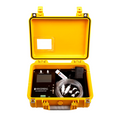
Extech SD500 Humidity/Temperature Data Logger 32 to 122°F SD Card
$299
Logs humidity and temperature to an SD card at an interval you choose, so you see a week of readings, not a moment.
The SD500 covers the whole basement range (Extech's spec table lists 10 to 90 percent RH) and 32 to 122°F (0 to 50°C), with a dual LCD that shows both. Extech says each stored reading carries a date and time stamp. It logs to an SD card in Excel format, with seven selectable sampling intervals from 5 to 600 seconds plus an Auto setting, and runs on 6 AAA batteries or the universal AC adaptor. It includes a mounting bracket. At a 10 minute interval (600 seconds), a week is 1,008 readings (7 days x 24 hours x 6 readings an hour, our calculation). That is plenty to see the daily pattern, and a spreadsheet makes the high and low obvious.

For the wall check
Extech RH101 Hygro-Thermometer & Infrared Thermometer, -58 to 932°F, 8:1, Humidity Air Temp
$217.79
Reads air humidity and temperature, plus an infrared thermometer for the surface of a wall or slab.
The RH101 pairs a hygro-thermometer with an infrared thermometer with an 8:1 distance-to-spot ratio and a range of -58 to 932°F. It shows humidity, ambient temperature and the infrared reading on a large dual backlit LCD, with data hold and max functions, on a 9V battery. That is the tool for the surface check: take the air temperature and RH, look up the dew point in the table, then aim the infrared sensor at the wall and slab and compare. Extech lists a fixed 0.95 emissivity, so read painted or concrete surfaces; a bare copper pipe will read wrong.
Extech's RH101 product page rates its humidity accuracy at ±3.5% RH and its air temperature at ±3°F, and Extech's SD500 page rates the logger at ±4% RH. Either is close enough to tell 45 from 60 percent, not 49 from 51, so treat a reading within a few points of a line as being on it. The RH101 does not log, so use it for spot checks at the walls and let the SD500 keep the week-long record.

Budget spot check
Extech 445703 Big Digit Hygro-Thermometer with 1 in. Digits on Super Large LCD, 14 to 140°F
$46.99
A basic hygro-thermometer with 1 inch digits for a quick look at RH and temperature, no logging.
The 445703 at $46.99 lists 10 to 99 percent RH at ±5% RH and 14 to 140°F on one AAA battery. It shows the moment, not the week, so it suits a homeowner who checks the room by eye.
Other meters follow the same idea. Browse the full Extech range for hygro-thermometers, or see how a moisture meter fits in with our moisture meter readings chart and the best moisture meters list. A humidity reading tells you about the air; a moisture meter tells you about the material.
Where to put the dehumidifier in a basement
Placement changes how well the machine controls the number. These points come from AlorAir's manual for its Sentinel Elite series (the 50X, 60X and 80X), in the section on where to install the unit. Read your own unit's manual for its numbers.
- Enclosed area. The manual says the dehumidifier should be placed in an enclosed area to maximize humidity control. Keep the basement door closed, or close the area you are drying.
- Center of the room. For best performance, AlorAir says to place the unit in the center of the room.
- Clearance. Keep at least 6 inches (15 cm) of clearance around both the air inlet and the outlet. The manual says neither should sit against a wall, and both should face the open area of the space.
- Upright, near the floor. The unit is designed for upright, level operation near the floor. After unpacking, the manual says to let it stand upright for at least 24 hours before you plug it in.
- Power. Plug it straight into a grounded 3-prong GFCI outlet on a 15 amp circuit, which both AlorAir units below list. The Sentinel Elite manual says not to use an extension cord or plug adapter, so choose a spot near the room center that the unit's own cord reaches (11.48 feet on the 60X).
- Drain. Run the drain before you need it. A floor drain below the unit takes a gravity hose; a sump, a sink or a window above the unit needs the pump.
Put the meter where we described above, not in the dehumidifier's path. If the basement has several rooms, the unit controls the air it can pull in. A closed-off storage room or a bathroom door left shut behind it will not follow the main room's number. For a long, narrow basement, a ducted or second unit may be the better answer; our guide to what size dehumidifier you need covers sizing, and the best basement dehumidifiers list covers picks for large, cold and wet spaces. For crawl spaces, see crawl space dehumidifier installation.
Machines that hold the target
Both units below are in our dehumidifiers collection and have a built-in pump and a humidistat. Neither has reviews on our product page yet, so the numbers here are the maker's specs. We have not compared them with a field test.

Small to mid basement
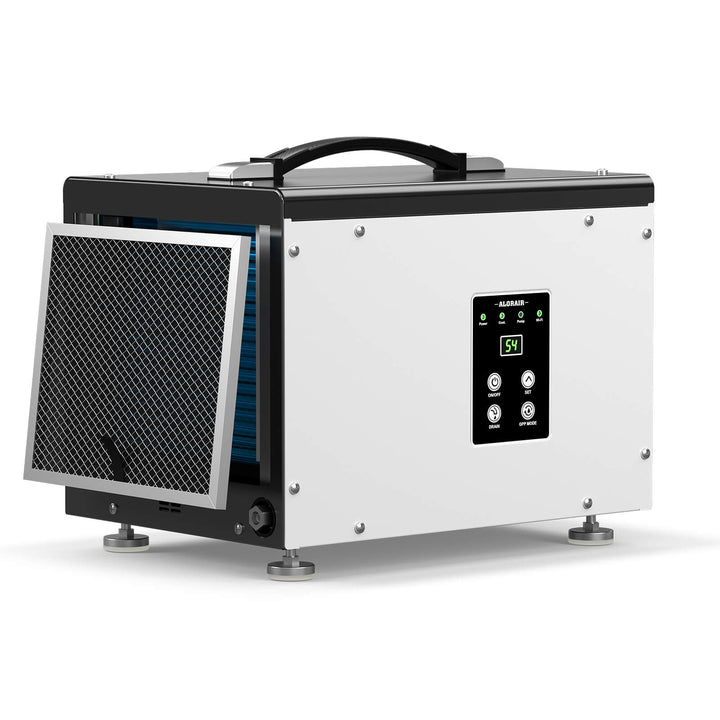
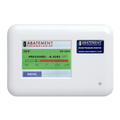
AlorAir Sentinel Pro 35X 35-Pint Commercial Dehumidifier with Pump
$499.99
A slim 35 pint cabinet on four wheels, with a setpoint down to 25% and a pump or gravity drain.
The Sentinel Pro 35X is rated at 35 pints per day (AHAM test, 80°F, 60% RH) and 70 pints per day (saturation test, 90°F, 90% RH). The two figures use different test conditions, so never set the 35 against another model's saturation number. Both figures are taken in air far warmer and wetter than a basement held at 50 percent, so a cool basement will see well under the rated pints. Size with that in mind; our guide on what size dehumidifier you need covers it. The maker gives coverage of up to 1,000 square feet, a humidity setpoint of 25 to 80 percent, a GPP mode and a continuous mode. Drainage is a built-in pump with a 19.6 foot hose or a gravity drain with a 6.5 foot hose. It draws 2.38 A (266 W) on 115 V, is rated at 52 dBA, weighs 40.5 lb, and is listed as Energy Star and cETL certified. The filter is a washable MERV-1. Operating temperature runs from 37.4°F to 100.4°F, so a very cold winter basement is outside its range. See our notes on dehumidifier maintenance for filter and drain care.
Skip the 35X if the basement is large, has a wet slab or needs more than the 1,000 square feet AlorAir lists.
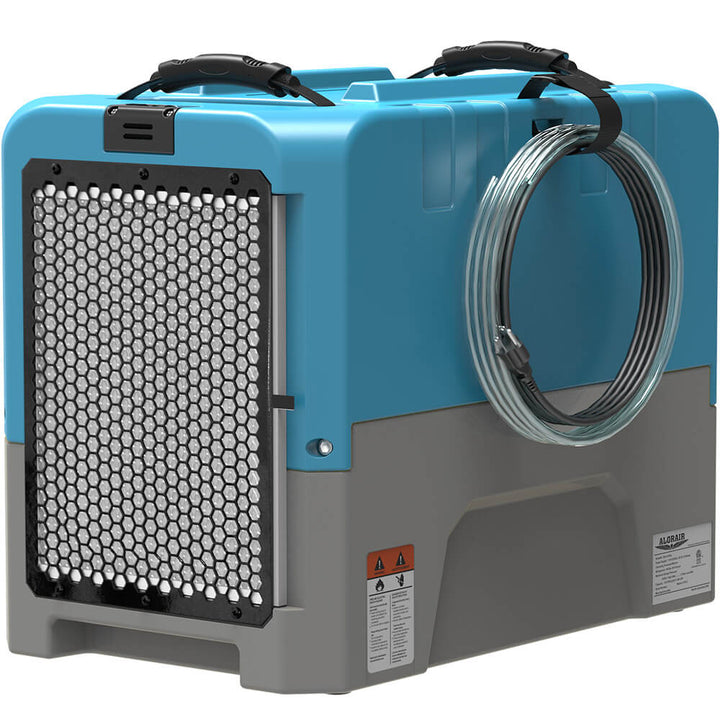
AlorAir rates the Sentinel Elite 60X ($699.99) at 60 pints per day under the AHAM test (80°F, 60% RH) and 145 pints per day under the saturation test (90°F, 90% RH). Its listing also gives airflow of 132 CFM and coverage of up to 1,500 square feet. It runs on 115 V at 465 W (4.17 A) with an 11.48 foot cord, and it is rated at 48.5 dB. The pump lifts condensate up to 19.6 feet through the included 19.6 foot hose, or you can use the 6.5 foot gravity hose. It weighs 56.43 lb. The minimum operating temperature is also 37.4°F. The setpoint starts at 35 percent, which is lower than most basements need to go, and the GPP mode lets you control to a moisture content instead of RH.
Skip the 60X if your basement is small. A machine that is too big cycles on and off quickly and costs more to buy; the 35X is the lower-priced of the two. For the running cost of either one, see how much it costs to run a dehumidifier.
GPP mode, in plain words
GPP stands for grains per pound, a measure of how much water the air holds by weight. Unlike RH, it does not change when the temperature changes, so a GPP target holds the same amount of moisture in the air as the basement warms and cools. Both AlorAir units list a GPP mode from 25 to 200 in steps of 5.
That is also its catch in a basement. Air at 70°F and 50 percent RH carries the same moisture as air at 65°F and about 60 percent (our calculation from the dew point table above), so a GPP target set on a warm day lets RH reach the EPA's limit when the basement cools. RH is easier to read and is what the EPA's guidance uses, so most owners should set the humidistat in RH and keep GPP in reserve. If you want to go deeper, the psychrometric chart guide linked earlier explains grains per pound.
Cut the moisture at the source
A dehumidifier holds the number; it does not stop water coming in. The EPA's guide says to act when you see "condensation or moisture collecting on windows, walls or pipes." Its ways to reduce humidity include venting appliances such as clothes dryers to the outside and using air conditioners or dehumidifiers when needed, and its ways to prevent condensation include more air movement and insulating cold water pipes.
- Vent the dryer outdoors and check the duct is connected.
- Insulate cold water pipes that sweat in summer.
- Cover an open sump pit.
- Fix leaks and wet walls before you size a machine.
Common mistakes
- Measuring next to the dehumidifier. The exhaust makes the reading look better than the room.
- Judging by one reading. One reading is a snapshot. Log a week.
- Setting the target to 30 percent in summer. The unit runs all day and the room may never get there. Pick a target inside the band that the unit can reach.
- Blocking the airflow. Keep the inlet and outlet at least 6 inches from walls and boxes.
- Ignoring the drain. A full bucket or a kinked hose stops the unit. Use the pump or a gravity hose to a floor drain.
- Leaving the door open to a damp room. The unit has more air to treat than you sized it for.
- Treating the number as the whole answer. A leak, a wet slab or an open sump keeps adding moisture. Fix the source as well as the air.
To see how a unit pulls moisture out of the air, read our guide on how a dehumidifier works, and for the choice between types, desiccant vs refrigerant dehumidifiers. A cold basement can matter here, since refrigerant machines slow down as the air cools. For a wider view of the options, read the best dehumidifiers with a built-in pump, or the best whole-house dehumidifiers when the answer is the whole house. Browse more by category: 50 pint dehumidifiers and mold dehumidifiers.
Frequently asked questions
Is 50% humidity ok for a basement?
Yes. Fifty percent is at the top of the EPA's ideal band of 30 to 50 percent and under its 60 percent ceiling. If the walls feel cold or damp, or you see condensation, set the target a few points lower and check the wall temperature against the dew point.
Is 60% humidity in a basement bad?
It is at the line. The EPA says to keep indoor humidity below 60 percent, so a steady 60 means it is time to act: lower the setpoint, check the walls against the dew point table and look for the moisture source. A brief rise to 60 on a wet day matters less than a week of logged readings sitting there.
Can mold grow at 50% humidity?
Mold needs moisture, and the EPA's advice is to control moisture. A room reading of 50 percent is inside the EPA's ideal band, but a wet surface, a leak or a cold wall can still hold moisture. If you find growth at any reading, find and fix the source.
Is 63% humidity in a basement a good level?
No. Sixty-three percent is above the EPA's 60 percent ceiling. Run a dehumidifier, look for the moisture source and log the reading for a week to see whether it is a daily pattern or a one-off.
Is 70% humidity a good level for a basement?
No. Seventy percent is well above the EPA's ceiling. Treat it as a moisture problem: find the leak, vent or damp wall, dry the space and then hold the target with a correctly sized dehumidifier.
What should I set my dehumidifier at in the basement?
Set it a few points under the number you want to hold. For a target of 45 to 50 percent in summer, a setting of 45 percent is a good start. In winter, 35 to 40 percent keeps the room inside the EPA band. Check that your machine can go that low: the Sentinel Elite 60X starts at 35 percent and the Sentinel Pro 35X at 25 percent.
How do I know the dehumidifier is big enough?
If the reading stays above your target after a day or two of steady running, the unit is too small or the moisture source is too strong. Our guide on dehumidifier sizing shows how to match pints per day to the space, and states the AHAM and saturation conditions.
Hold your basement at the target